How to allow the Jira Align Sprint Metrics (M1) report to be seen by a user
Summary
How to make visible to Jira Align users the 'Sprint Metrics (M1)' report which is sometimes known as the ‘Iteration Metrics (M1)’ report.
Environment
Jira Align
Solution
Steps to perform to show the users the ‘Sprint/Iteration Metrics (M1)’ report:
Select 'Settings->Role' of the user
Expand the program
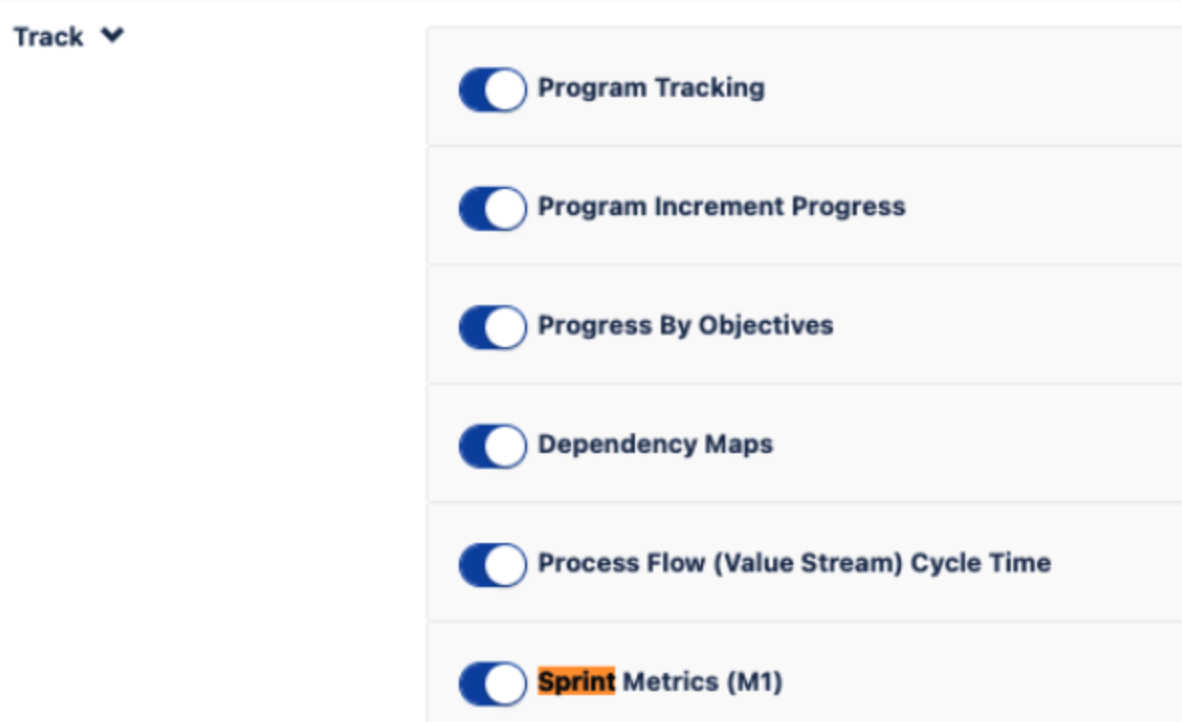
Search for the 'Sprint Metrics (M1)' report toggle and enable it, see the image below.
‘Sprint Metrics (M1)' report is also called the ‘Iteration Metrics (M1)’ report - It depends if you renamed it in 'Platform Terminology settings’ - see what is written in Release Notes 10.83:
ℹ️ If you have customized your Sprint term to be called “Iteration”, in Platform Terminology settings, the chart name will read “Iteration Metrics”.
Updated on September 25, 2025
Was this helpful?
Still need help?
The Atlassian Community is here for you.