Old vs new navigation in Jira
Jira’s navigation has been updated to make it simpler and more consistent across Atlassian products. If you’re used to the old navigation, this table will help you get up to speed by showing exactly what’s changed.
| Old navigation | New navigation |
|---|---|---|
Top to side | Main navigation items like Your work, Starred, and Recent were located in the top navigation. |  Main navigation items like For you, Starred, and Recent are located in the sidebar, which you can customize to show only what’s important to you. |
プロジェクト | Projects were accessed from the dropdown menu in the top navigation. | Projects are always visible from the sidebar, making it easier to switch between them. |
プロジェクト ナビゲーション | Project navigation was from the sidebar. |  Project navigation now appears as horizontal tabs under the top navigation. |
プロジェクト設定 | Project settings were found at the bottom of the sidebar. |  Project settings can now be found by finding the project’s name in the sidebar or project header, and then selecting More actions (•••). |
Expand or collapse sidebar | Expanding or collapsing was located at the top right edge of the sidebar. | 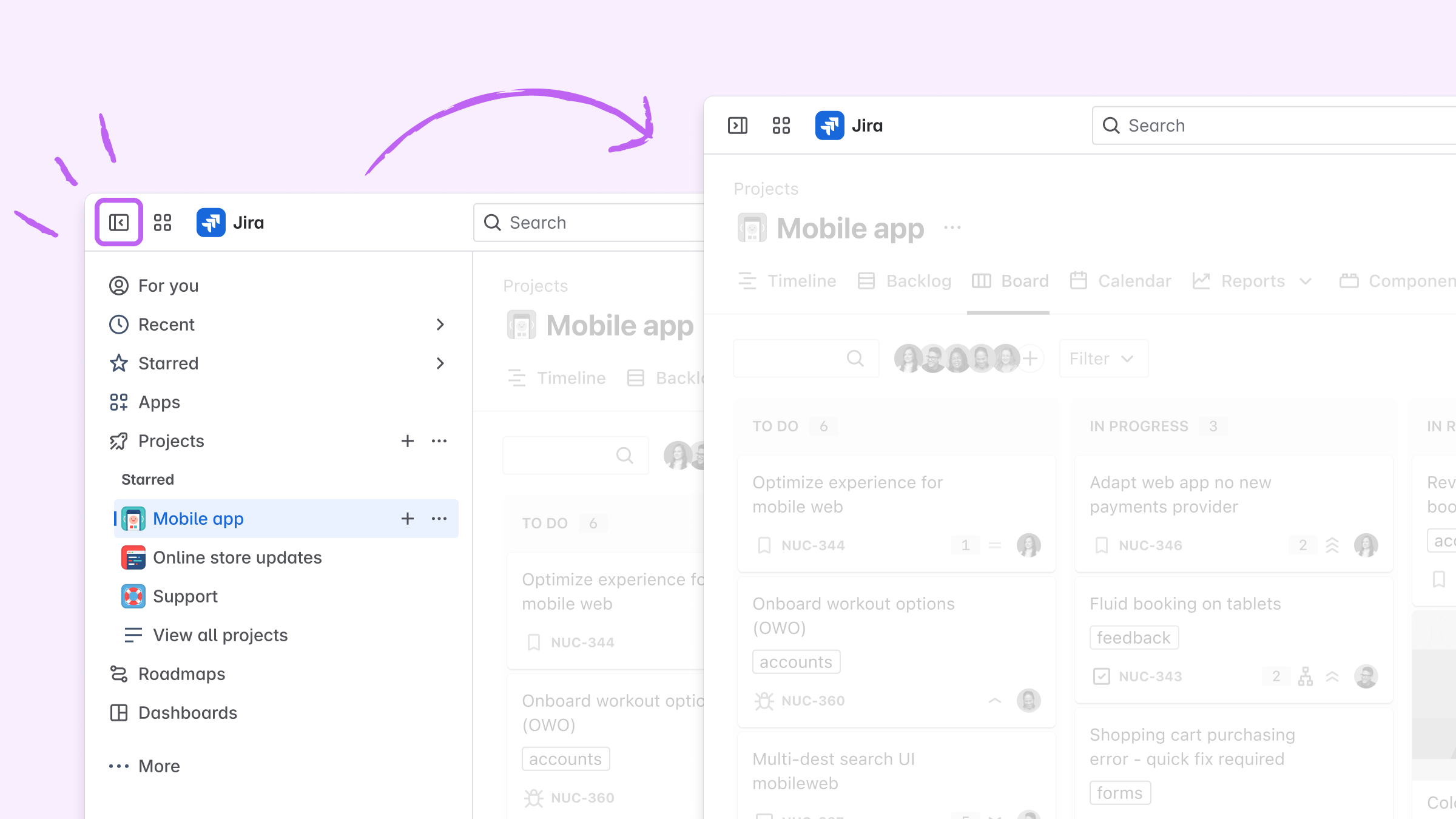 Expanding or collapsing is now located at the top left corner of the sidebar. |
この内容はお役に立ちましたか?