HTTP Error 500.51 when attempting to access Jira through IIS
プラットフォームについて: Data Center のみ。 - This article only applies to Atlassian apps on the Data Center プラットフォーム。
この KB は Data Center バージョンの製品用に作成されています。Data Center 固有ではない機能の Data Center KB は、製品のサーバー バージョンでも動作する可能性はありますが、テストは行われていません。 Server* 製品のサポートは 2024 年 2 月 15 日に終了しました。Server 製品を実行している場合は、 アトラシアン Server サポート終了 のお知らせにアクセスして、移行オプションを確認してください。
*Fisheye および Crucible は除く
症状
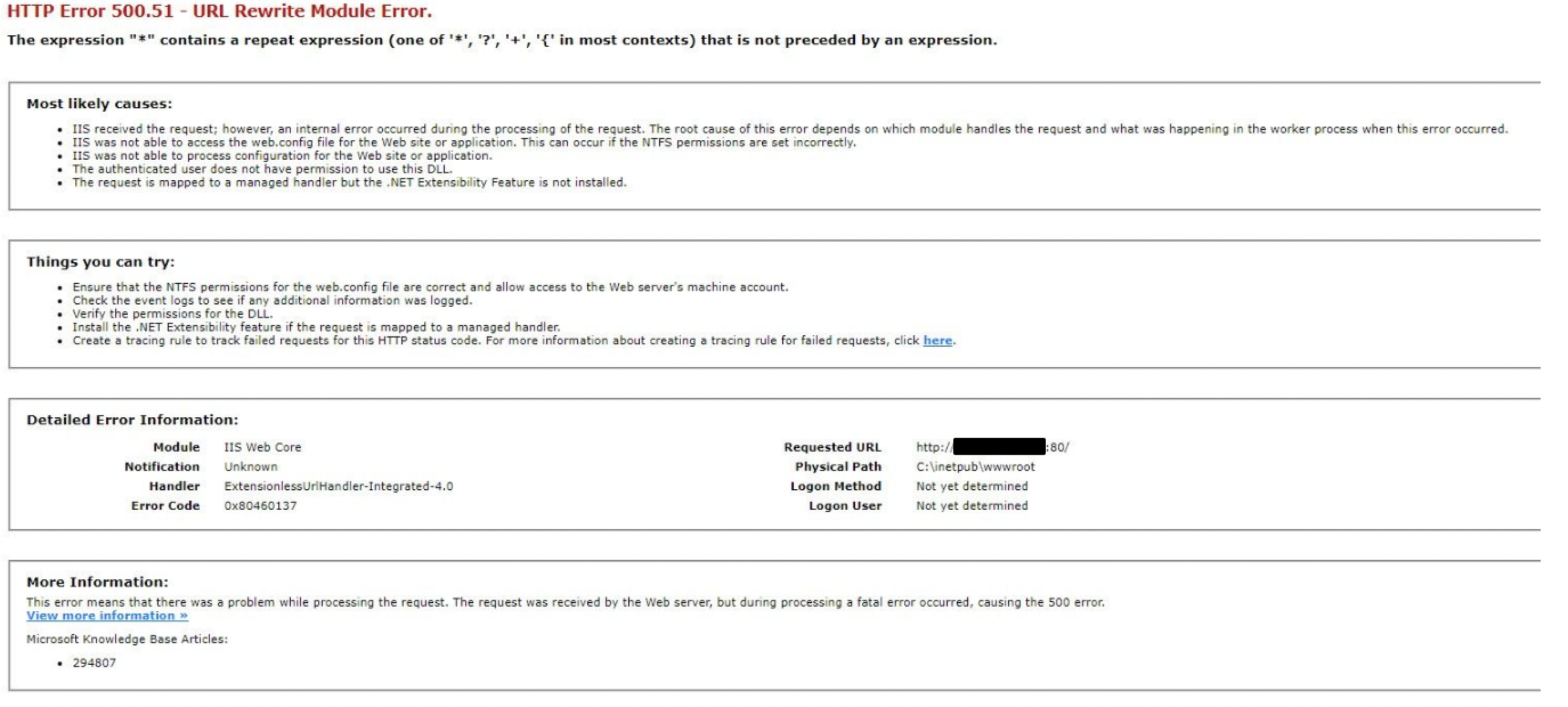
After following all the steps from Integrate Jira server and IIS with Application Request Routing, you are now getting the error HTTP error 500.51 - URL Rewrite Module Error when you attempt to access Jira through IIS.
原因
The error normally indicates a problem with the URL Rewrite's Pattern present in the rule.
ソリューション
Make sure you have a URL Rewrite rule created as specified in step 4 from this article:
Add a new URL Rewrite Rule for jira.example.com:
From the IIS7 Console, click on jira.example.com and open URL Rewrite:
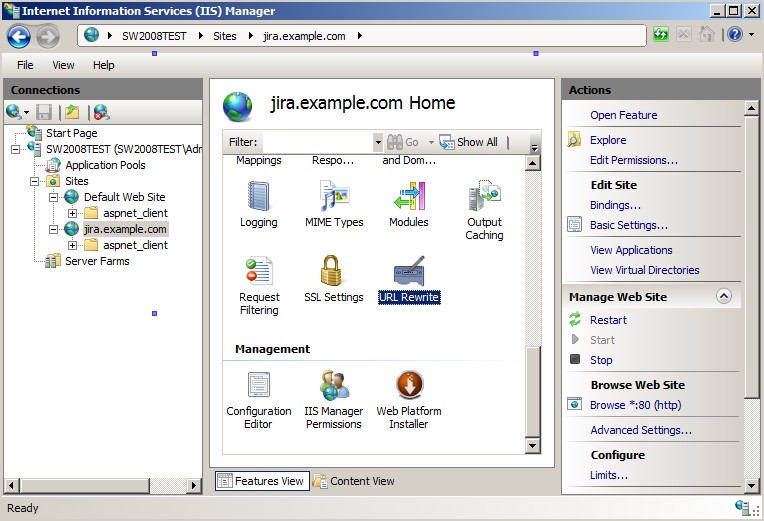
From the Actions panel on the right hand side, select "Add Rules" and choose "Blank Rule";
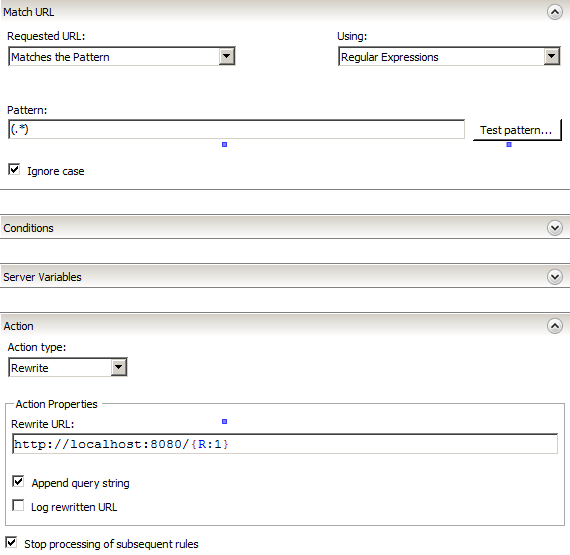
Set Match URL to:
Requested URL: Matches the Pattern
Using: Regular Expressions
Pattern: (.*)
Ignore Case: Checked
Set Action to:
Action Type: Rewrite
Rewrite URL: http://<JIRA_url:Port>/{R:1}
Append query string: Checked
Mark Stop processing of subsequent rules:
Restart IIS
NOTE: In some cases, the error will persist even after following the above steps, if that is happening to you, it is possible you have a URL Rewrite Rule at the SERVER level.
If that is your case, make the you change the Pattern to ".*" instead of "*".
Or, you may choose to disable this rule, if not required.
この内容はお役に立ちましたか?