Elements in Jira server fail to render with 400 bad request error
プラットフォームについて: Data Center のみ。 - This article only applies to Atlassian apps on the Data Center プラットフォーム。
この KB は Data Center バージョンの製品用に作成されています。Data Center 固有ではない機能の Data Center KB は、製品のサーバー バージョンでも動作する可能性はありますが、テストは行われていません。 Server* 製品のサポートは 2024 年 2 月 15 日に終了しました。Server 製品を実行している場合は、 アトラシアン Server サポート終了 のお知らせにアクセスして、移行オプションを確認してください。
*Fisheye および Crucible は除く
要約
問題
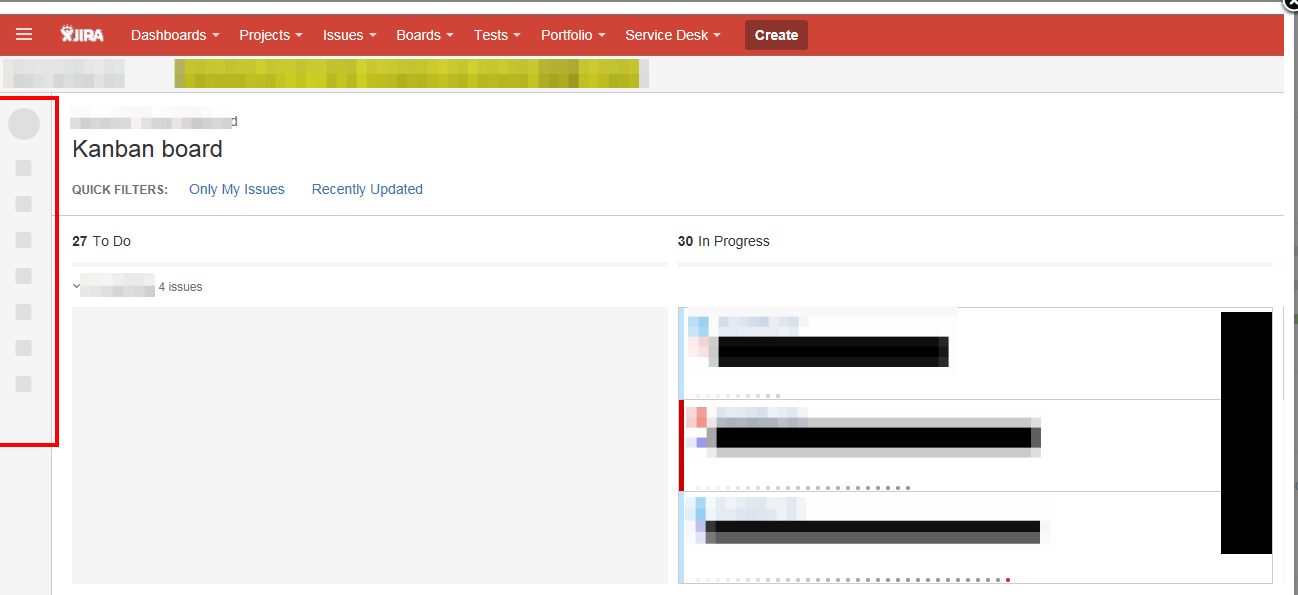
Elements fail to render in Jira. Symptoms could be a missing sidebar, the "Link Issue" dialog popping up and showing the spinning icon forever, etc.
診断
環境
Jira 7.1 and above
Especially common when upgrading to 7.3.2+ when using Jira Service Management
Proxy: IIS
診断ステップ
Capture a HAR file for the page that is displaying incorrectly and review it for HTTP 400 errors.

Examine the URL for one of the errors and check the length of the longest URL segment. (Note that this isn't the same thing as the length of the entire URL)
If the segment is longer than 260 characters, try truncating it to 260 characters and then testing if the request still returns an error (e.g. by navigating to that URL in your browser). If the truncated version yields a different result, then you are likely running into this issue.
原因
Certain batch URLs for Jira are generated in a way that results in very long URL segments, which can result in this problem when using IIS as the proxy in front of Jira due to the default behavior of a 260 character maximum for URL segments. This is documented more in PLUGWEB-410 - Certain batch URLs cause some servers to respond with HTTP 400 and to some extent JRASERVER-64917 - When Jira is behind a Microsoft-based HTTP server some functions can result in a 400 Bad Request error
ソリューション
ソリューション
It is possible to modify the Windows Registry of the IIS server and increase the UrlSegmentMaxLength value to handle more characters, which is also noted in our documentation for Integrating JIRA applications with IIS:
Backup the Registry
With Regedit, browse to
HKEY_LOCAL_MACHINE\SYSTEM\CurrentControlSet\services\HTTP\ParametersFind the value for
UrlSegmentMaxLength, or if it doesn't exist add a DWORD value with this name and change it to00001000(this is the hex for 4096)Powershell alternative:
Set-ItemProperty -Path HKLM:\System\CurrentControlSet\Services\HTTP\Parameters -Name UrlSegmentMaxLength -Value 4096 -type DWord
After using either method to adjust the registry (Regedit or Powershell), you must restart Windows for the changes to take effect. This will necessitate downtime, please plan a maintenance window accordingly.
この内容はお役に立ちましたか?