How to hide Edit Document link from View File macro in PDF export
プラットフォームについて: Data Center のみ。 - This article only applies to Atlassian apps on the Data Center プラットフォーム。
この KB は Data Center バージョンの製品用に作成されています。Data Center 固有ではない機能の Data Center KB は、製品のサーバー バージョンでも動作する可能性はありますが、テストは行われていません。 Server* 製品のサポートは 2024 年 2 月 15 日に終了しました。Server 製品を実行している場合は、 アトラシアン Server サポート終了 のお知らせにアクセスして、移行オプションを確認してください。
*Fisheye および Crucible は除く
要約
目的
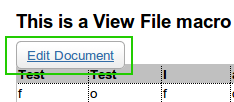
When you have a View File Macro in a page, there will be a "Edit Document" button in the page like this:
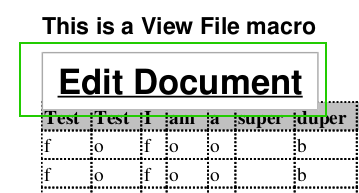
This button will also show up when you export to PDF and will look something like the following in the PDF document:
ソリューション
Add the following CSS in the PDF stylesheet:
.confluence-button
{
display:none !important;
}
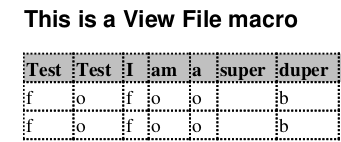
Now it should be gone when you export it to PDF:
更新日時: September 25, 2025
この内容はお役に立ちましたか?
さらにヘルプが必要ですか?
アトラシアン コミュニティをご利用ください。