クラウド上の Confluence 保存形式を取得する方法
プラットフォームの注記: Cloud のみ - This article only applies to Atlassian apps on the クラウド プラットフォーム上のアトラシアン製品にのみ適用されます。
要約
When a Confluence page is not displaying correctly or some of its elements appear broken, it can be useful to inspect the underlying code used to build the page’s structure, or even share that code with Atlassian Support for further analysis.
用語の明確化:

[ソースを表示] >、ページストレージ形式ではなく、エディター パネル内で使用されている形式が表示されます。
ソリューション
You must be a Confluence administrator to access the storage format.
Navigate to the Confluence page
Open the Tools menu by clicking the ellipsis button (...) at the top-right。

[詳細情報] に移動します
[保存形式の表示] をクリックします。
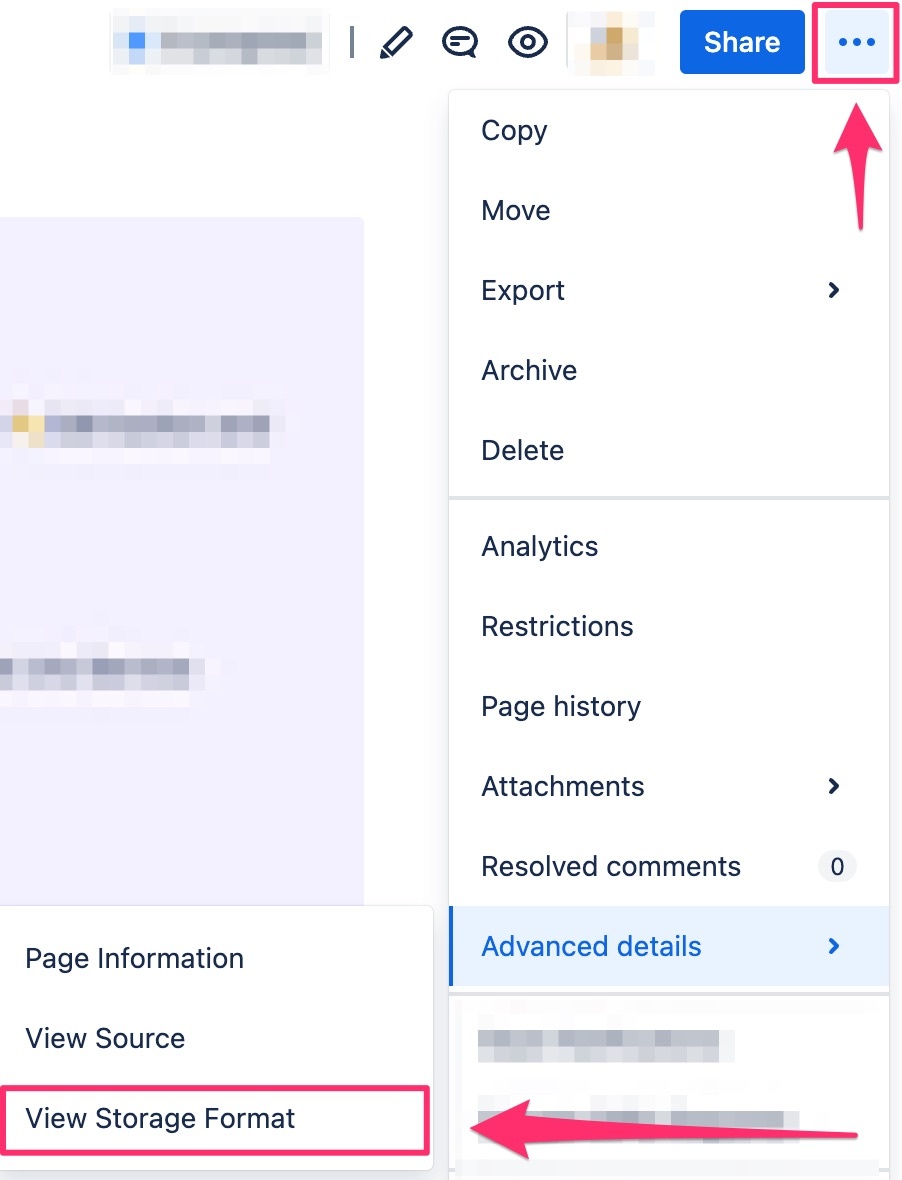
Select all the text in the window that opens, then copy the content so you can paste it into a .txt file or investigate it directly in the browser.
任意のテキストエディターにテキストを貼り付けます。
.txt ファイルとして保存します。
この内容はお役に立ちましたか?