Finding storage usage of Confluence space and page using REST API
Platform Notice: Cloud Only - This article only applies to Atlassian apps on the cloud platform.
Summary
Problem
Storage can be tracked per product but not by individual space and page.
💡 Try this first
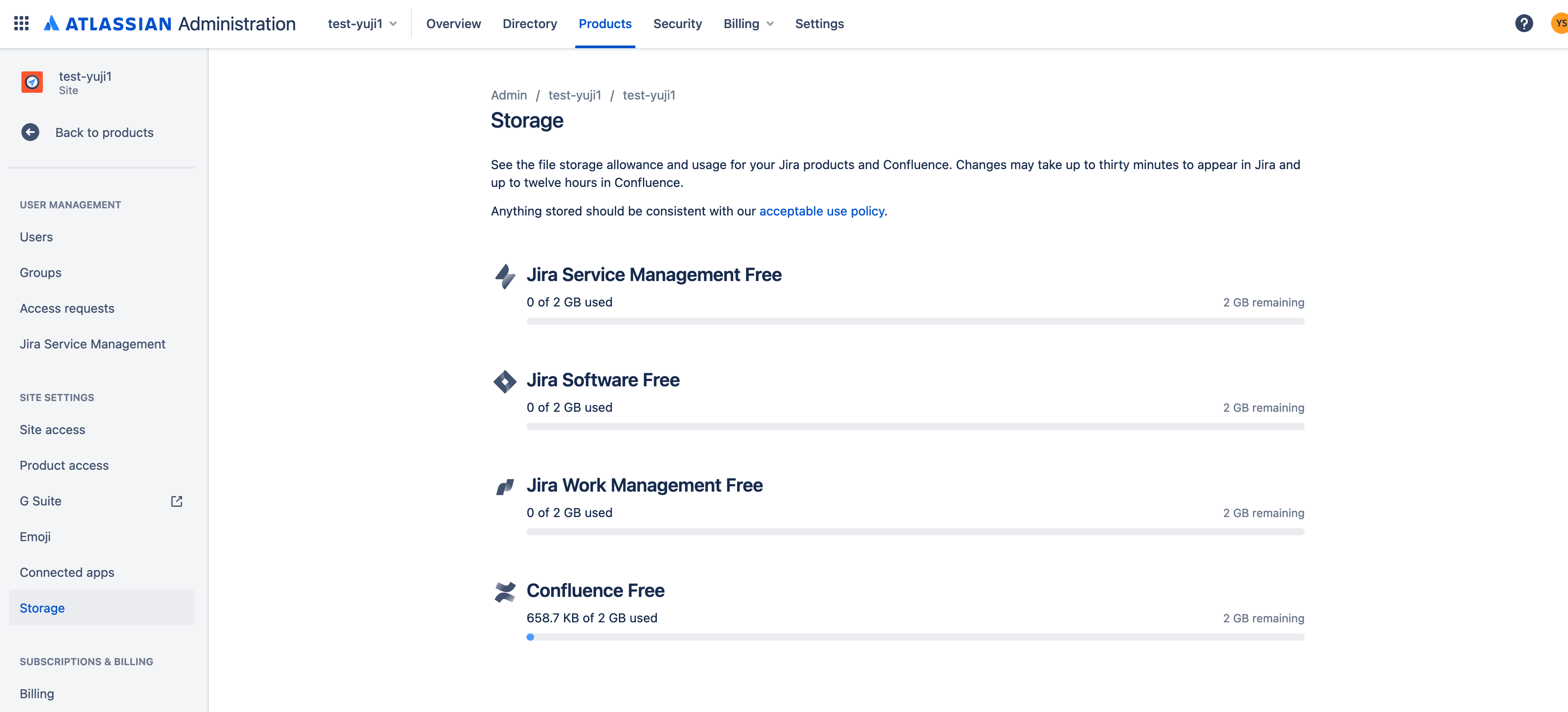
Confluence Cloud has a built-in storage dashboard at admin.atlassian.com > [your site] > Site settings > Storage that shows total storage per product. See Track storage and move data across products for details.
Use the REST API script below only if you need a per-space or per-page breakdown of attachment sizes — the built-in dashboard shows only the site-wide total.
Solution
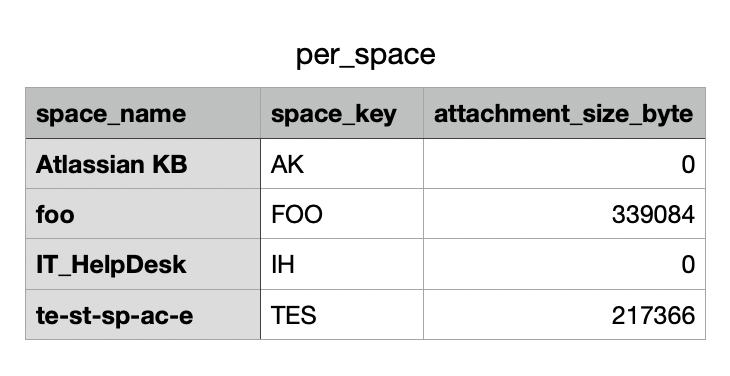
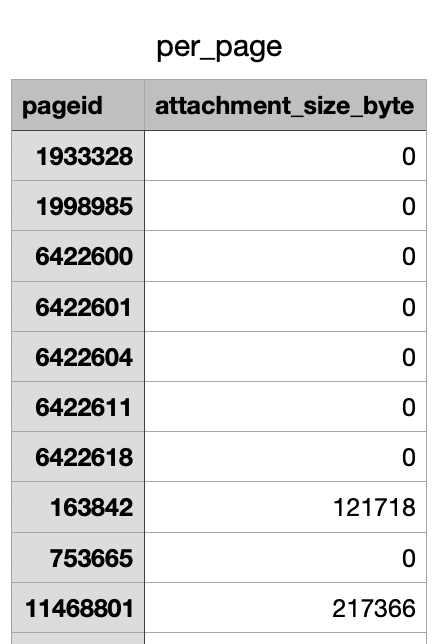
In case you are unable to utilize the Storage usage feature, you can use the Confluence Cloud REST API to programmatically list the storage size of each attachment in Confluence spaces and pages, and save the output to a .CSV file.
⚠️ Prerequisites
Before running the script below, confirm you have:
Python 3.6+ installed (the script uses f-strings)
The
requestslibrary — install with:pip install requestsA Confluence Cloud API token for an account with Confluence Administrator permission (create one at id.atlassian.com/manage-profile/security/api-tokens)
Note: The script only returns data your API token's account can access. Pages and spaces restricted from that account are silently skipped — see the verification step below for how to catch gaps.
Steps:
Log in as a user with Confluence Administrator permission, and create or use an existing API token for your Atlassian account. The user who is running the script will only be able to fetch data that they can access in Confluence. Depending on page restrictions and permissions - there can be situations where not all attachments, pages and/or spaces are returned
Copy and paste sample code below to a new file. Change the values of USER, TOKEN, and BASE_URL as appropriate
Note: Below may not work due to changes in the specifications of the REST API. Please refer to Confluence Cloud REST API for up-to-date info
Python script
# This sample was updated on 18-Dec-2023
# This code sample uses the 'requests' 'json' 'csv' library
import requests
import json
import csv

# Input your base url, username and token
USER="your_email_address@example.com"
TOKEN="XXXXXXXXXXXXXXXXX"
BASE_URL="https://your_site.atlassian.net"

# Get all attachments from pages
def process_pages(pages, perPageWriter):
    space_attachment_volume = 0
    for page in pages:
        page_attachment_volume = 0
        print(f"   Page ID: {page['id']}")
        url = f"{BASE_URL}/wiki/api/v2/pages/{page['id']}/attachments"
        while url:
            response = requests.get(url, headers=headers, auth=(USER, TOKEN))
            data = response.json()
            attachment_results = data["results"]
            for attachment in attachment_results:
                attachment_name = attachment["title"]
                attachment_size = attachment["fileSize"]
                print(f"      Attachment Name: {attachment_name}, {attachment_size} bytes")
                page_attachment_volume += int(attachment_size)
            space_attachment_volume += page_attachment_volume
            if "next" not in data["_links"]:
                break
            url =  f"{BASE_URL}{data['_links']['next']}"
        print(f"      --> PAGE TOTAL: {page_attachment_volume}")

        # Write page attachment volume to CSV
        perPageWriter.writerow([page["id"], str(page_attachment_volume)])
    return space_attachment_volume

# Get pages from space_id
def get_pages(space_id, perSpaceWriter):
    get_pages_space_attachment_volume = 0
    url = f"{BASE_URL}/wiki/api/v2/spaces/{space_id}/pages"
    while url:
        response = requests.get(url, headers=headers, auth=(USER, TOKEN))
        data = response.json()
        page_results = data["results"]
        get_pages_space_attachment_volume += process_pages(page_results, perPageWriter)
        if "next" not in data["_links"]:
            break
        url =  f"{BASE_URL}{data['_links']['next']}"
    print(f"\n         SPACE TOTAL: {get_pages_space_attachment_volume} bytes")
    print("----------")
    # Write space attachment volume to CSV
    print(f"      --> TESTSPACE TOTAL: {get_pages_space_attachment_volume}")
    perSpaceWriter.writerow([space["name"], space["key"], str(get_pages_space_attachment_volume)])

with open('per_page.csv', 'w') as pagecsvfile, open('per_space.csv', 'w') as spacecsvfile:
    perPageWriter = csv.writer(pagecsvfile, delimiter=',', quotechar='|', quoting=csv.QUOTE_MINIMAL)
    perSpaceWriter = csv.writer(spacecsvfile, delimiter=',', quotechar='|', quoting=csv.QUOTE_MINIMAL)
    perPageWriter.writerow(['pageid','attachment_size(byte)'])
    perSpaceWriter.writerow(['space_name','space_key','attachment_size(byte)'])

    headers = {
        "Accept": "application/json"
    }
    # Get all space_ids
    url = f"{BASE_URL}/wiki/api/v2/spaces"
    while url:
        response = requests.get(url, headers=headers, auth=(USER, TOKEN))
        data = response.json()
        space_id_results = data["results"]
        for space in space_id_results:
            get_pages(space["id"], perSpaceWriter)
        if "next" not in data["_links"]:
            break
        url =  f"{BASE_URL}{data['_links']['next']}"
Execute the file. You may need to install additional "Requests", "JSON" and "CSV" Python libraries
Terminal command
$ python <filename>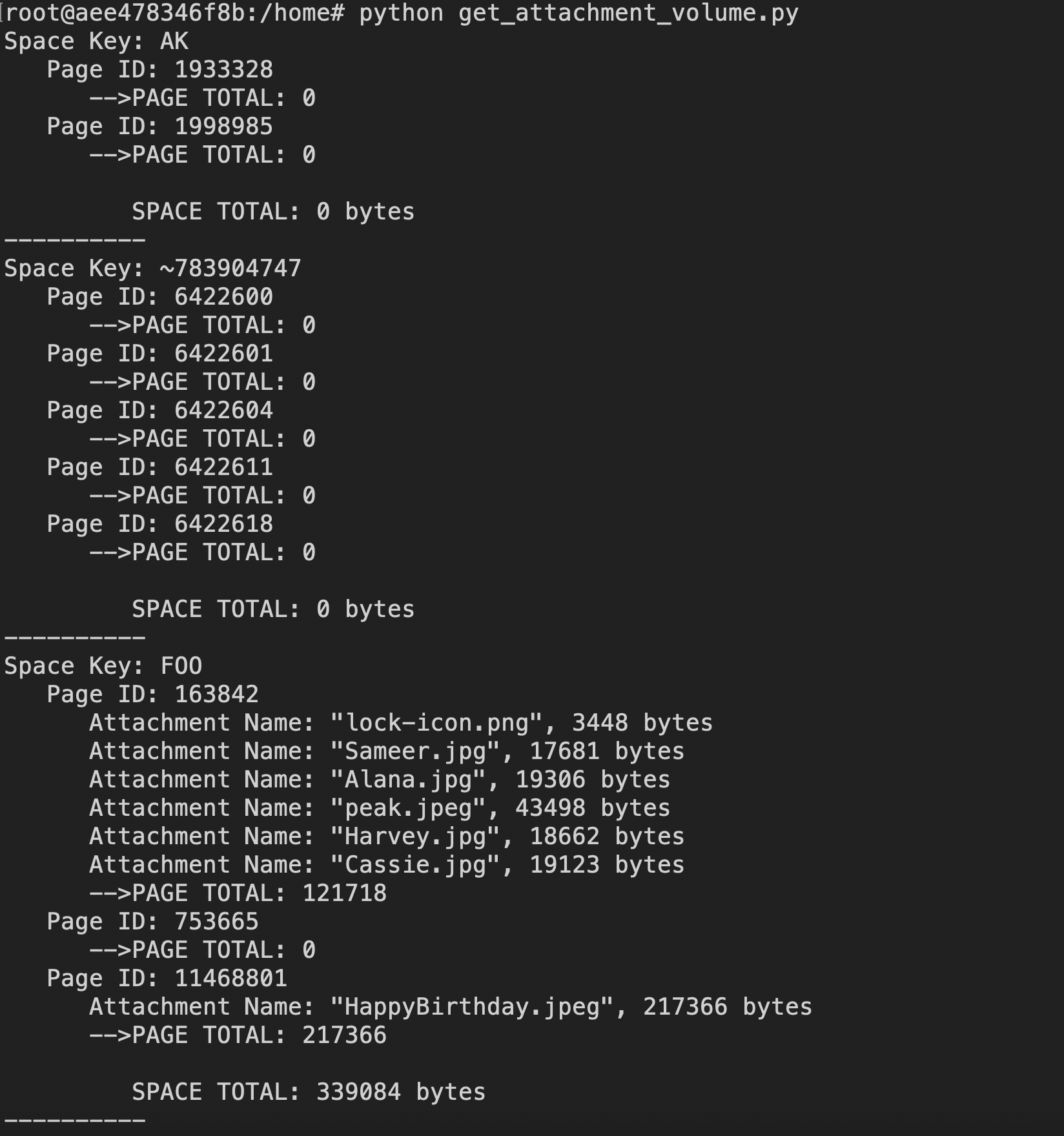
In the same directory(current working directory), files named "per_space.csv" and "per_page.csv" will be generated with the data stored there

Verify it worked
Before trusting the script's output for a large site, spot-check the totals:
Go to admin.atlassian.com > select your site > Site settings > Storage.
Compare the Confluence storage total shown there against the sum of your
per_space.csvoutput.If the script's total is significantly lower, the gap is likely content restricted from the API token's account — you may need to run the script with a Confluence administrator account that has broader access.
Tip: Pick one or two spaces you know well and compare their per-space CSV row against what you'd expect, to build confidence the script is capturing complete data.
Was this helpful?