Why is the Bitbucket Pipelines build not showing the user who triggered the build in the pipeline view?
Platform Notice: Cloud Only - This article only applies to Atlassian apps on the cloud platform.
Summary
This article covers how Bitbucket Pipelines displays the user who triggered a build, whether by branch or manual action, with a detailed view.
Pipeline build view
In Bitbucket Cloud's pipelines build view, we show the avatar of the user who triggered the build, be it a branch or a manually triggered pipeline. The avatar is displayed in the same line as the duration of the build and the date the build was started.
If you hover over the avatar, you will see a message like the one in the screenshot below, indicating which user triggered the build.
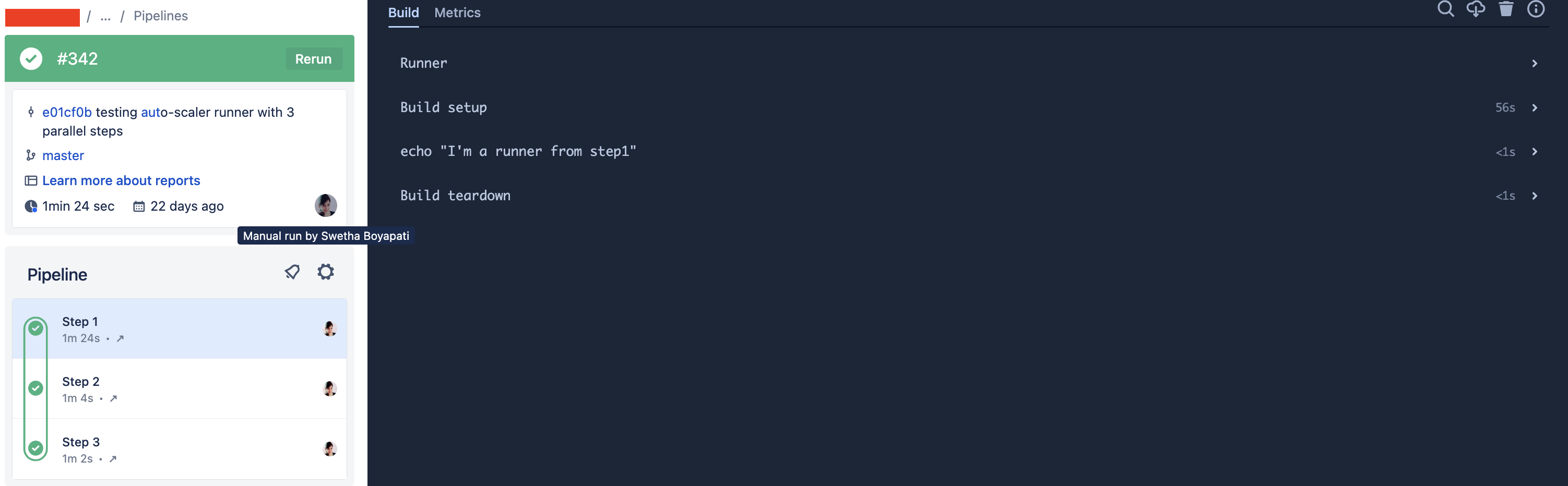
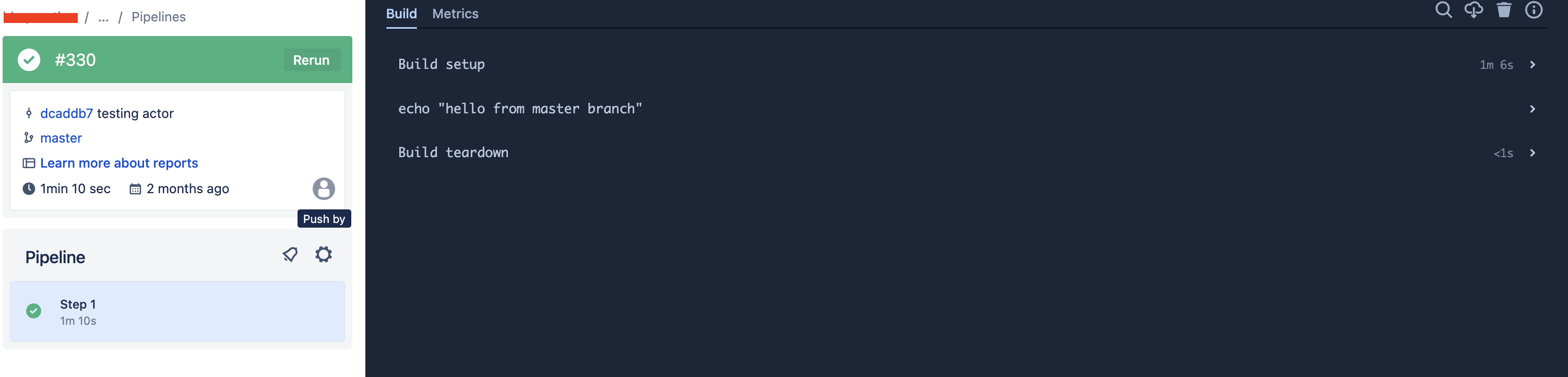
In some cases, you might have noticed that this user's details are empty, as shown in the screenshot below. If you notice the below screenshot, it just shows "Push by" and no user details.
Solution
Explanation of the issue
A build can be triggered in multiple ways - pull request, branch, default, tags, or manual triggers as explained in Pipeline start conditions. In each trigger type, there is an actor who initiated/triggered that particular build. For instance, if you push a commit to a branch that has a branch trigger configured as shown in the below sample pipelines config, the actor is the user who pushed the commit to the main branch.
image: atlassian/default-image:2
pipelines:
  branches:
    master:
      - step:
         script:
            - echo "hello from master branch"
You can refer to the push event payload to identify different actors for a push event.
The reason why the pipeline view doesn't show any user details but displays "push by" is when the push is made using workspace-level SSH keys. In this case, your local
git config user.nameandgit config user.emailmight be set correctly to reflect an actual user. However, when you authenticategit pushusing a workspace-level SSH key, the actor of this event is the workspace indeed.For example, the below commit was made by "admin@gmail.com" as per
git configcommit 6132d1588fd2ccad0c994db15f9b33bc3c04178e (HEAD -> pr-deployment, origin/pr-deployment) Author: Admin <admin@gmail.com> Date: Wed Dec 27 11:02:04 2023 +0000 abc.txt edited online with Bitbucket diff --git a/abc.txt b/abc.txt index 831c94f..5672d7d 100644 --- a/abc.txt +++ b/abc.txtHowever, it was pushed using an SSH key that was added to Workspace settings → SSH keys. The actor in this case is the workspace. So you'll not see the "admin" user details in the pipeline view for this build.
Was this helpful?